Nginx控制浏览器缓存
##原理图
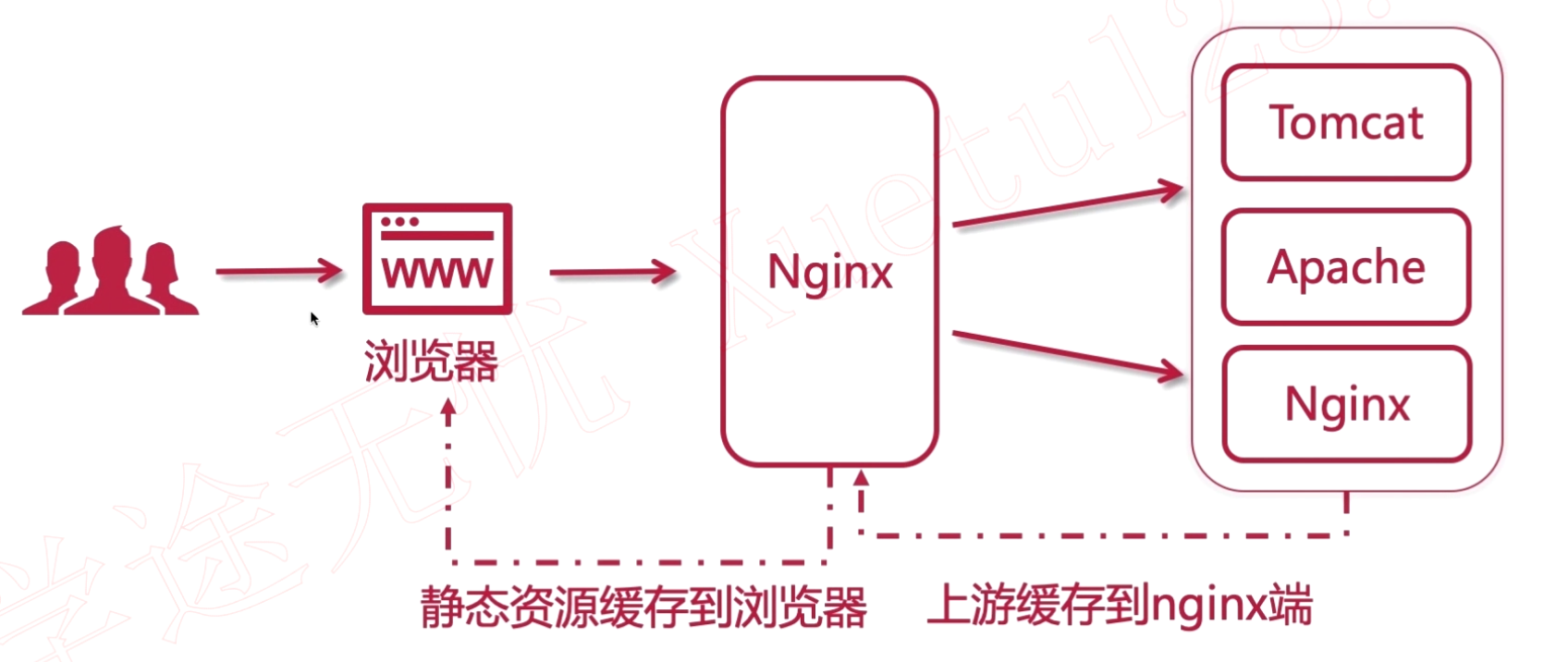
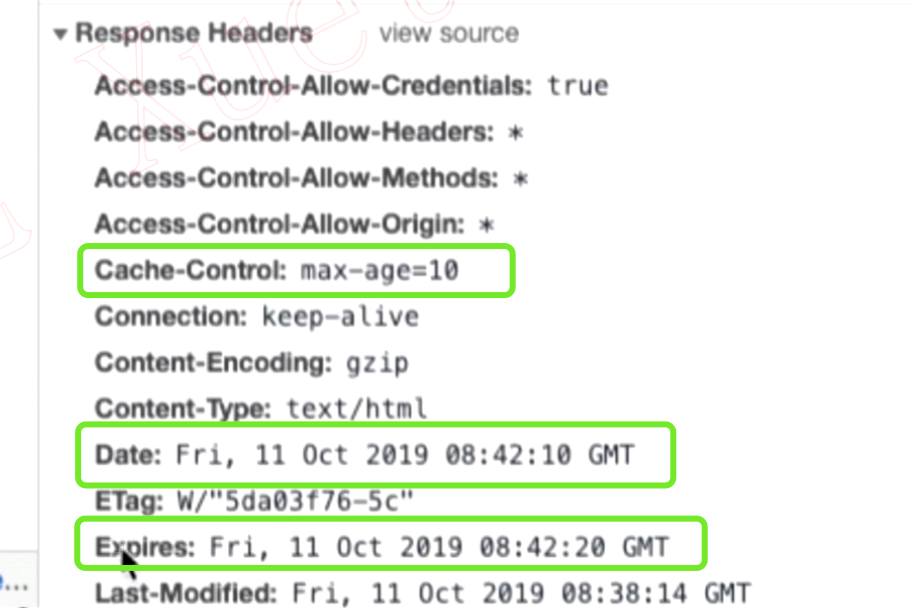
##设置缓存的指令:expires指令 expires [time] 设置多少秒后缓存过期;例:expires 10s expires @[time] 设置到那个时间点缓存过期;例:expires @22h30m expires -[time] 表示在现在缓存的多长时间以前就过期;例:expires -1h expires epoch 表示不去缓存 expires off 表示Nginx端关闭缓存,在浏览器上不会体现出来; expires max 表示缓存的一个最大的时间,表示永不过期。
##在Nginx中的使用方法
location /static {
    alias /home/static;
    expires 10s;
}
##Nginx反向代理缓存
#配置上游服务器
upstream tomcats {
        server 192.168.3.26:8080;
        server 192.168.3.27:8080;
        server 192.168.3.28:8080;
}

# 设置缓存保存的目录,
# keys_zone 设置共享内存空间,和大小
# max_size 设置缓存大小
# inactive 超过此时间,则缓存自动清理, 8h:8小时,8m:8分钟,8s:8秒
# use_temp_path 关闭临时目录,临时目录会对nginx造成性能影响
proxy_cache_path /usr/local/nginx/upsteam_cache keys_zone=mycache:5m max_size=1g inactive=8h use_temp_path=off;

server {
        listen 80;
        server_name www.tomcats.com;

        # 开启并且使用缓存,mycache对应上方proxy_cache_path配置
        proxy_cache mycache;
        # 针对200和304状态码,设置缓存过期时间
        proxy_cache_valid 200 304 8h

        location / {
                proxy_pass http://tomcats;
        }
}